
Technical SEO Audit Checklist: 25 Things We Check Before Any Client Goes Live
A dental client came to us last year with a beautiful new site built by a freelancer. Clean design, fast load times on paper, everything a client would look at and approve on sight. Underneath it, the sitemap pointed to pages that no longer existed, the robots.txt file was blocking the entire staging environment (still live), and every service page shared the same meta description. None of that shows up in a walkthrough on launch day. All of it shows up in Google Search Console three weeks later, once the damage is already done.
That’s the gap a pre-launch technical audit closes. We don’t run it because it looks thorough on a proposal. We run it because we’ve watched what happens when nobody does.
Why This Runs Before Every Handover, Not After
Most agencies treat technical SEO as a fix-it-later problem. Something to circle back to once rankings start slipping. The trouble is, by the time rankings slip, you’re untangling months of compounding issues instead of catching one broken redirect before it ever went live.
We built our checklist the opposite way around. Nothing goes live, whether it’s a brand new build or a migrated site, until it’s been run through this list. Twenty-five checks, grouped into five areas, each one tied to a specific failure we’ve seen actually cost a client traffic.
Crawlability & Indexation
If Google can’t crawl it properly, nothing else on this list matters yet.
- Robots.txt reviewed line by line, not just glanced at, to confirm nothing important is accidentally disallowed
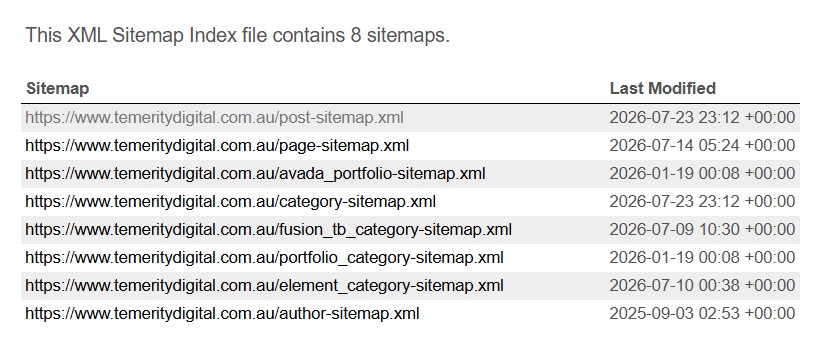
- XML sitemap validated and checked against actual live URLs, not whatever the theme generated by default
- Search Console coverage report checked for “excluded” and “error” pages that should be indexed
- Orphan pages identified, meaning pages with no internal links pointing to them at all
- Crawl budget checked on larger sites to confirm bots aren’t wasting time on parameter URLs or filtered duplicates
Site Structure & URLs
- Redirect chains mapped and flattened, so a URL doesn’t bounce through three hops before landing
- 404 errors pulled from Search Console and cross-checked against old sitemaps for anything that should redirect
- Canonical tags checked page by page, because a misfiring canonical can quietly tell Google to ignore the page you actually want ranking
- URL structure reviewed for consistency, particularly after a rebuild where old and new patterns can end up mixed
- Pagination handling checked on category and blog archive pages
Canonical tags are the one on this list clients rarely ask about and almost always have wrong. Not broken exactly, just pointing somewhere the developer assumed made sense rather than somewhere that actually reflects the page’s intent.
Schema, Titles & Metadata
- Schema markup validated through Google’s Rich Results Test, not just assumed correct because a plugin says it’s active
- Title tags checked for duplication across templated pages, a problem that shows up constantly on multi-location or multi-service sites
- Meta descriptions reviewed individually rather than left to auto-generate from the first paragraph
- H1 tags checked to confirm there’s exactly one per page, not two competing headings from a theme builder
- Structured data errors flagged in Search Console before launch, not discovered after Google’s already crawled a broken version
Performance & Core Web Vitals
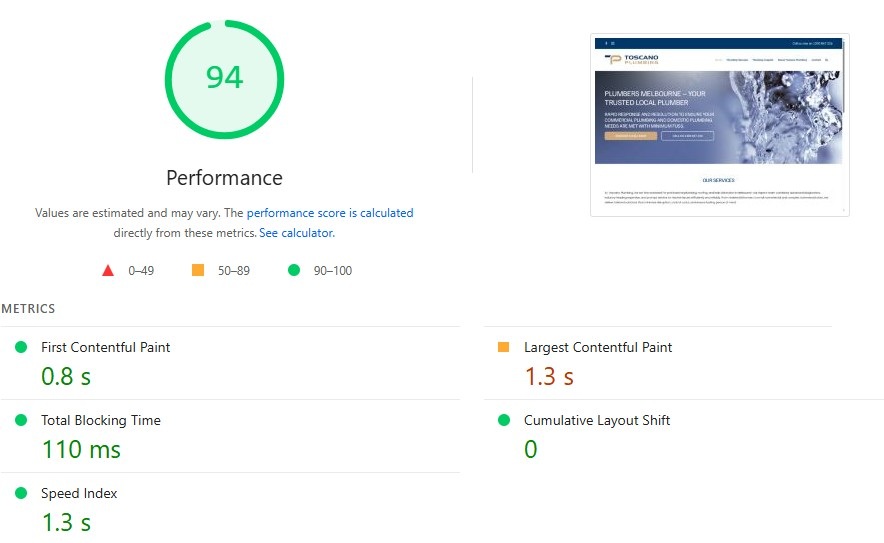
- LCP, INP and CLS scores tested on both mobile and desktop, since they’re rarely identical
- Image compression audited, because an uncompressed hero image is still the most common Core Web Vitals killer we see
- Render-blocking scripts identified, particularly from page builder plugins loading assets that aren’t needed above the fold
- HTTPS and mixed content checked across every page, not just the homepage
- Mobile responsiveness tested on actual devices where possible, not only in browser dev tools
WordPress-Specific Checks
This is the section that catches the most, because it’s where the most invisible damage happens.
- Plugin conflicts tested, especially SEO plugins layered on top of page builders, which can generate duplicate or conflicting schema output
- Any custom loop or widget checked for wp_reset_postdata(), since a missed reset can corrupt the global post object and quietly break schema further down the page
- Thin or templated content flagged, particularly on location or service pages built from the same base copy with only a suburb or keyword swapped in
- Internal linking depth reviewed so no page sits more than three clicks from the homepage
- Staging site indexing double-checked before go-live, because a forgotten “discourage search engines” setting is a five-second fix that’s easy to miss under launch pressure
We added that thin content check after our own niche pages taught us the hard way. Near-duplicate copy across service verticals doesn’t just look lazy to a reader, it reads as duplicate content to Google, and it’s one of the harder problems to unwind once a site’s been running that way for years.
None of these 25 checks are dramatic on their own. A missing canonical tag or an unreset loop won’t tank a site overnight. What they do is accumulate, quietly, until a business owner is asking why traffic’s dropped and nobody can point to a single cause. Running through this list before anything goes live means there isn’t one to find. If your last launch skipped a few of these, get in touch and we’ll run the audit properly before it costs you rankings.
Share this article
A quick overview of the topics covered in this article.
Latest articles
September 8, 2026

September 8, 2026
September 8, 2026