How To Get Your Website on Google
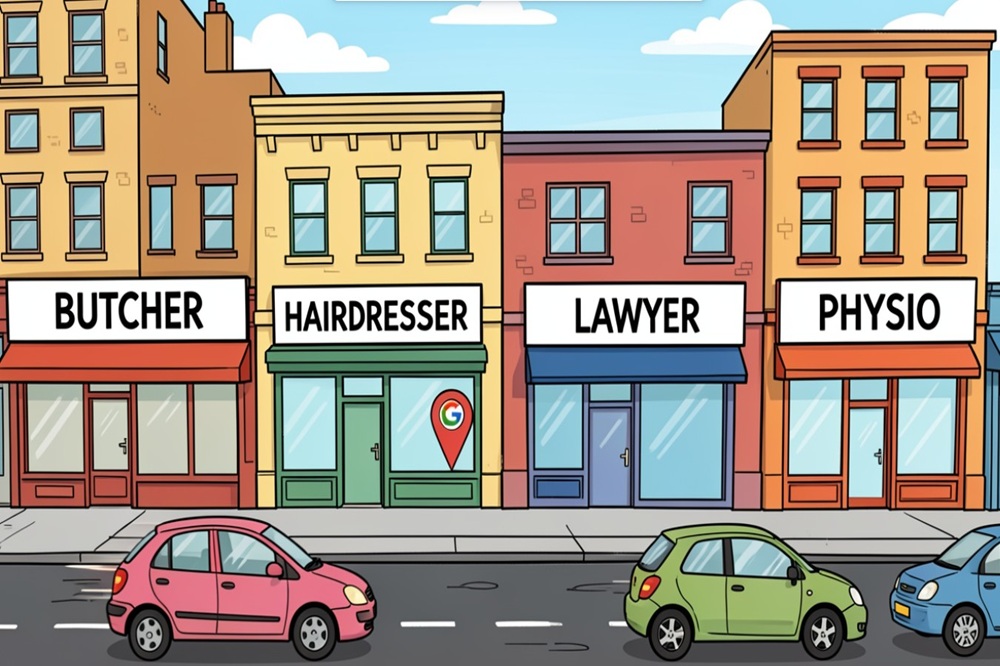
Getting your website noticed by Google is a bit like making sure your shopfront is visible on a busy street. You want people to find you, right? This guide will walk you through the steps to make sure Google knows your site exists and can easily show it to people searching for what you offer. We’ll cover how to get Google to see your site, make it appealing, and use handy tools to check on its progress.
Key Takeaways
- Make sure your website’s structure allows Google’s bots to easily find and read your pages.
- Using a sitemap helps Google understand all the important pages on your site.
- Creating content that people find useful and that answers their questions is important.
- Google Search Console is a free tool that helps you see how your site is performing in search results.
- You can tell Google directly about important pages on your site using Search Console.
Understanding How Google Discovers Your Website
Ensuring Your Website Is Accessible for Crawling
For Google to even consider showing your website to potential customers, it first needs to find and understand it. This process begins with crawling, where automated bots, often called spiders, systematically browse the web. To make sure these bots can do their job effectively, your website needs to be set up correctly. This means avoiding technical roadblocks that might prevent them from accessing your content. Think of it like ensuring all the doors and pathways to your information are open and clear.
Here are a few key points to consider:
- Robots.txt: This file acts like a set of instructions for crawlers. You can use it to tell them which parts of your site they should or shouldn’t visit. Make sure you haven’t accidentally blocked important sections.
- Site Structure: A logical and organised website structure helps crawlers navigate your pages more easily. Linking related pages together creates a clear path for them to follow.
- Content Format: While images and videos are great for user engagement, crawlers primarily read text. Ensure your core content is presented in HTML text format so it can be easily understood.
If your website relies heavily on specific technologies that aren’t standard HTML, or if it’s behind a login screen, crawlers might struggle to access and interpret your content accurately. Always test your site’s accessibility.
The Role of Sitemaps in Google’s Discovery Process
While crawlers do a great job of finding sites organically, a sitemap acts like a roadmap, explicitly telling Google about all the important pages on your website. It’s a file, usually in XML format, that lists your URLs and provides extra information about each one, such as when it was last updated and how important it is relative to other pages.
Submitting a sitemap is particularly helpful for:
- New Websites: When you launch a new site, a sitemap helps Google discover your pages much faster than it might on its own.
- Large Websites: For sites with many pages, a sitemap ensures that Google doesn’t miss any important content.
- Sites with New Content: If you frequently add or update pages, your sitemap can signal these changes to Google, encouraging quicker re-crawling.
Think of it as providing Google with a curated list of your best content, making its job easier and increasing the chances of your pages being found and indexed.
Why Google Might Not Be Finding Your New Site
It can be frustrating when you’ve launched a new website, put in all the effort, and yet, it seems invisible to Google. There are several common reasons why this might happen. Sometimes, it simply takes time. Google indexes billions of pages, and discovering a brand new site can take a few weeks. Other times, there might be technical issues at play.
Common culprits include:
- No External Links: If no other websites link to yours, Google has fewer pathways to discover it.
- Technical Errors: Crawlers might encounter errors when trying to access your site, perhaps due to server issues or incorrect configurations.
- Site Structure Issues: A poorly organised site can make it difficult for crawlers to find all your content.
If you suspect Google is having trouble finding your site, using Google Search Console is highly recommended. It allows you to submit your sitemap directly and provides insights into any errors Google is encountering when trying to crawl your pages. This tool is invaluable for diagnosing and resolving discovery problems.
Optimising Your Site for Google Search
Creating User-Centric and Valuable Content
When Google looks at your website, it’s trying to figure out what’s on it and if it’s helpful for people searching for information. The best way to get Google to notice your site is to make it genuinely useful for visitors. Think about what questions people might have and provide clear, accurate answers. This means writing content that’s easy to understand and directly addresses the needs of your audience. The more helpful your content is, the more likely Google is to show it to people.
Mobile-Friendliness and Fast Loading Speeds
These days, most people use their phones to browse the internet. If your website isn’t easy to use on a small screen, visitors will likely leave. Google notices this and ranks sites that work well on mobile devices higher. Similarly, nobody likes waiting for a page to load. Slow websites frustrate users and can lead to them going elsewhere. Making sure your site loads quickly on all devices is a big plus for both your visitors and your search ranking.
Implementing Secure Connections with HTTPS
Security is a big deal online. Using HTTPS (the ‘S’ stands for secure) means that any information exchanged between a visitor’s browser and your website is encrypted. This protects sensitive data like login details or payment information. Google prioritises secure websites in its search results. It’s a sign of trust and professionalism, showing visitors that you take their privacy seriously. If your site doesn’t use HTTPS, it’s definitely something to look into.
Leveraging Google Search Console
Google Search Console is a free tool that helps you monitor, maintain, and troubleshoot your site’s presence in Google Search results. Think of it as your direct line to Google, offering insights into how the search engine sees your website. It’s not just about submitting your site; it’s about understanding its performance and making informed decisions to improve it.
Measuring Site Performance with Search Analytics
This is where you get the nitty-gritty on what’s working and what’s not. The Search Analytics report within search console shows you the actual search queries people are using to find your site. You can see:
- Impressions: How many times your pages appeared in search results.
- Clicks: How many times users clicked on your pages from those results.
- Average Position: Where your pages typically rank for those queries.
This data is gold. It helps you understand user intent and identify opportunities to create content that better matches what people are searching for. For instance, if you see many impressions for a query but low clicks, your title or description might not be compelling enough.
Identifying and Fixing Website Issues
Google Search Console proactively alerts you to any problems that might be hindering your site’s performance or visibility. These can range from mobile usability issues to security problems or crawl errors. The platform provides detailed information about:
- The type of issue: What exactly is wrong?
- Affected URLs: Which pages on your site are impacted?
- Severity: How critical is the problem?
When you fix an issue, you can mark it as fixed within Search Console, allowing Google to re-evaluate your site. This feedback loop is vital for maintaining a healthy website.
Using URL Inspection for Detailed Insights
Sometimes, you need to look at a specific page. The URL Inspection tool lets you do just that. You can enter any URL from your site, and Search Console will tell you:
- Whether Google can access the page.
- If the page is indexed.
- How Google sees the page (including mobile usability and structured data information).
This tool is incredibly useful for troubleshooting why a particular page might not be appearing in search results or for checking if recent changes have been correctly processed by Google.
Understanding how Google interacts with your website is key to improving its visibility. Search Console provides the data and tools to make this process transparent and manageable, allowing you to take control of your site’s search performance.
Enhancing Your Site’s Visibility
Making Your Content Shine with Rich Results
Getting your website noticed in Google Search is about more than just appearing in the results; it’s about making those results as informative and appealing as possible. This is where rich results come into play. Think of them as enhanced search listings that go beyond the standard blue link and description. For content like recipes, job postings, or product information, rich results can display extra details directly on the search results page. This might include star ratings for a recipe, salary information for a job, or pricing for a product.
The primary goal is to provide users with the most relevant information upfront, making your listing more clickable. This not only helps users find what they need faster but also signals to Google that your content is comprehensive and user-friendly.
To achieve this, you’ll need to implement structured data markup on your website. This is essentially a way of organising your content so that search engines can understand it better. Tools like Google Search Console can help you monitor how your structured data is performing and identify any issues that might be preventing your content from appearing as rich results.
Monitoring Performance with Core Web Vitals
Website speed and user experience are no longer just nice-to-haves; they are critical factors in how Google ranks your site. Core Web Vitals are a set of specific metrics that Google uses to measure the user experience of a webpage. They focus on three key areas:
- Loading Performance: How quickly does the main content of your page load?
- Interactivity: How soon can a user interact with your page?
- Visual Stability: How much does content shift unexpectedly during loading?
Google uses these metrics to assess the overall quality of the user experience. A site that loads quickly, is interactive, and doesn’t have jarring visual shifts is more likely to keep visitors engaged. You can monitor your site’s Core Web Vitals performance directly within Google Search Console. It provides reports for both mobile and desktop, highlighting any pages that might be falling short. Addressing these issues can lead to a better user experience and, consequently, improved search rankings.
Ensuring Your Accelerated Mobile Pages Are Optimal
For users accessing your site on mobile devices, speed is paramount. Accelerated Mobile Pages (AMP) are designed to make your mobile content load almost instantly. While not strictly required for all sites, AMP can significantly improve the user experience for mobile visitors, especially on slower networks. If you’ve implemented AMP on your site, it’s important to regularly check its performance.
Google Search Console offers specific tools and reports to monitor your AMP pages. You can identify any errors or issues that might be hindering their performance or preventing them from appearing correctly in search results. Keeping your AMP pages in top condition ensures that your mobile audience receives the fastest possible access to your content, which is a key factor in today’s mobile-first world.
Optimising your site for visibility involves a multi-faceted approach. It’s about making your content understandable to search engines, ensuring a fast and stable user experience, and presenting information in a way that’s immediately appealing to potential visitors. By focusing on these areas, you can significantly improve how your website performs in search results.
Submitting Your Website to Google
So, you’ve built a fantastic website, poured in the effort, and now you’re eager for the world to see it. But how do you actually get Google to notice? It’s not always as simple as just launching it and expecting instant visibility. We need to be a bit more proactive to ensure your site gets indexed and appears in search results. This section will guide you through the practical steps to make your website visible on Google.
How to Submit Individual URLs for Crawling
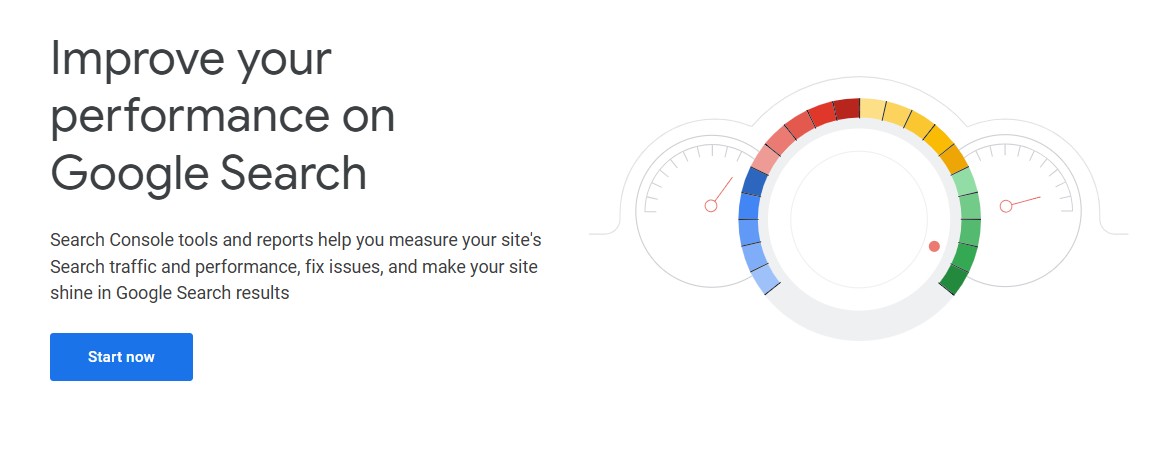
While Google’s crawlers are constantly exploring the web, sometimes a direct nudge is beneficial, especially for new content or a brand-new site. The most direct way to ask Google to look at a specific page is through the URL Inspection tool within Google Search Console. This tool is invaluable for understanding how Google sees your pages and for requesting that a specific URL be crawled and indexed.
Here’s a simplified approach:
- Access Google Search Console: If you haven’t already, set up and verify your website in Google Search Console. It’s a free service from Google that helps you monitor and maintain your site’s presence in Google Search results.
- Use the URL Inspection Tool: In Search Console, enter the full URL of the page you want Google to crawl into the search bar at the top.
- Request Indexing: After inspecting the URL, if it’s not indexed or you’ve made recent changes, you’ll see an option to ‘Request Indexing’. Click this.
This process tells Google that you’ve added new content or updated existing content and would like it to be reviewed and added to its index. It’s a key step in the google site submission tool process for individual pages.
Requesting Re-indexing After Updates
Making changes to your website is a good thing – it keeps your content fresh and relevant. However, Google might not automatically pick up these changes immediately. If you’ve updated existing pages, added new content, or fixed errors, you’ll want to let Google know. Re-indexing is crucial to ensure that the latest version of your site is what appears in search results. The same URL Inspection tool mentioned above is your best friend here. Simply inspect the updated URL and request indexing again. This tells Google that the page has changed and needs to be re-crawled and re-indexed.
Utilising Search Console for Submission
Google Search Console is more than just a place to submit individual URLs; it’s your command centre for how your site performs on Google Search. For a more holistic approach to getting your website indexed, consider submitting a sitemap. A sitemap is a file that lists all the important pages on your website, helping Google discover and understand your site’s structure more efficiently. This is a fundamental part of the how to get my website indexed by google puzzle.
To submit your sitemap:
- Generate your sitemap (often an XML file, e.g.,
sitemap.xml). Many website platforms and plugins can help you create this automatically. - Go to the ‘Sitemaps’ section in Google Search Console.
- Enter the URL of your sitemap file and click ‘Submit’.
This proactive step significantly aids Google’s crawlers in finding and indexing all the content you want to make available. It’s a clear signal that you’re serious about add website to google search and want to ensure all your pages are discoverable. By using these tools, you’re actively helping Google submit url to google crawler and ultimately making your website visible on Google.
Getting your website indexed by Google is an ongoing process. While direct submissions and sitemaps help, consistently creating high-quality content and ensuring your site is technically sound will lead to better long-term visibility. Think of these submission steps as an important initial handshake with the search engine.
Building Authority and Trust
Encouraging Other Websites to Link to Yours
Getting other reputable websites to link to your content is a strong signal to Google that your site is a trusted source of information. Think of these links as votes of confidence. The more high-quality, relevant sites that point to yours, the more authority your own site gains in Google’s eyes. This isn’t about quantity; it’s about the quality and relevance of the linking domains. A link from a well-respected industry publication carries far more weight than a link from a low-quality, unrelated blog.
To encourage these valuable backlinks, focus on creating truly exceptional content that others will want to reference. This could be original research, in-depth guides, unique data, or compelling case studies. Once you have this great content, you can proactively reach out to relevant websites, letting them know about your resource. Sometimes, simply having fantastic content is enough for others to discover and link to it organically. An SEO agency also can help build your authority and trust with a strategic SEO campaign.
The Importance of High-Quality Content Distribution
Creating great content is only half the battle; you need to make sure people see it. Effective content distribution means actively promoting your articles, blog posts, and other resources across various channels. This includes sharing on social media platforms, sending out email newsletters, and even exploring paid promotion options if your budget allows. The goal is to get your content in front of the right audience, increasing its visibility and the chances of it being discovered by both users and search engines.
Consider where your target audience spends their time online. Are they active on LinkedIn? Do they follow specific industry influencers on Twitter? Tailor your distribution strategy to reach them where they are. This proactive approach not only drives traffic to your site but also increases the likelihood of earning those coveted backlinks from other websites that recognise the value of your shared content.
Understanding Google’s Guidelines for Quality
Google has clear guidelines about what constitutes high-quality content and websites. Adhering to these guidelines is non-negotiable if you want your site to rank well and be trusted by search engines. Essentially, Google wants to see websites that provide a positive user experience, offer original and useful information, and are built with the user in mind, not just for search engines. This means avoiding manipulative practices like keyword stuffing, cloaking, or participating in link schemes.
Focus on creating content that genuinely helps your audience solve a problem or answer a question. Think about what users are searching for and provide the best possible answer. This user-first approach aligns perfectly with Google’s objectives and will naturally lead to better search performance over time.
Here are some key areas to focus on:
- Originality: Ensure your content is unique and not just a rehash of what’s already out there.
- Accuracy: Provide factual and up-to-date information.
- Readability: Structure your content clearly with headings, short paragraphs, and bullet points to make it easy to consume.
- Relevance: Make sure your content directly addresses the search queries your target audience is using.
- User Experience: Your website should be easy to navigate, load quickly, and be mobile-friendly.
Your Next Steps with Google Search
So, you’ve put in the work to get your website ready. That’s fantastic. Now, making sure people can actually find it on Google is the next big step. Think of it like opening a shop – you want the doors open and the lights on, but you also need to make sure it’s easy for customers to see and get to. Tools like Google Search Console are there to help you see how your site is doing and what you can do to make it even better. It’s all about making your site work well for visitors and for Google. Keep at it, and you’ll see your site get the attention it deserves.
Frequently Asked Questions
How does Google find my new website?
Google discovers websites by ‘crawling’ them, which is like a digital spider exploring the web. To help Google find your site, you can submit a sitemap, which is a list of all your website’s pages. If Google doesn’t find your site right away, don’t worry! It can sometimes take a few weeks for new sites to be discovered. Making sure your website is easy for Google to read and has links from other websites can also speed things up.
What makes a website good for Google?
For Google to favour your website, it needs to be user-friendly and provide valuable information. This means creating content that people actually want to read and ensuring your site works well on phones and loads quickly. Using a secure connection (HTTPS) is also important, as it shows users your site is safe.
How can I check how my website is doing on Google?
Google Search Console is a fantastic free tool that helps you see how your website performs in Google Search. You can find out what search terms people use to find you, identify any problems with your site, and even check specific pages to see how Google views them. It’s like getting a report card for your website!
What are ‘Rich Results’ and why should I care?
Rich Results are special search results that show more information than usual, like star ratings for reviews or cooking times for recipes. To get these, you need to structure your content in a specific way. Search Console can help you monitor these results and make sure your content is presented in the most appealing way to users.
Can I tell Google directly to look at my website?
Yes, you can! You can submit individual web page addresses (URLs) to Google for crawling, especially if you’ve recently added new content. Search Console is the best place to do this. It helps Google know which pages are most important to index.
Why is it important for other websites to link to mine?
When other reputable websites link to your site, it’s like a vote of confidence. Google sees these links as a sign that your content is trustworthy and valuable. This helps build your website’s authority and can improve its ranking in search results. However, it’s crucial that these links are natural and not paid for, as that can lead to penalties.
Share this article
A quick overview of the topics covered in this article.
Latest articles

February 23, 2026

February 23, 2026